AllpdfTools: PDF Workspace
How one prompt for an iLovePDF clone turned into a PDF workspace with 31 tools and e-signatures
I wanted one tool. I ended up building all thirty-one, then the workspace around them.
Solo. One long prompt, then months of steering: the React front end, the Express processing API, the tool taxonomy, the signature workspace, and the pricing model.
Role
Designer and Builder
Category
Vibe Coded · Productivity
Timeline
2026
7
Categories from organise to AI
1
Upload flow shared by every tool
e-sign
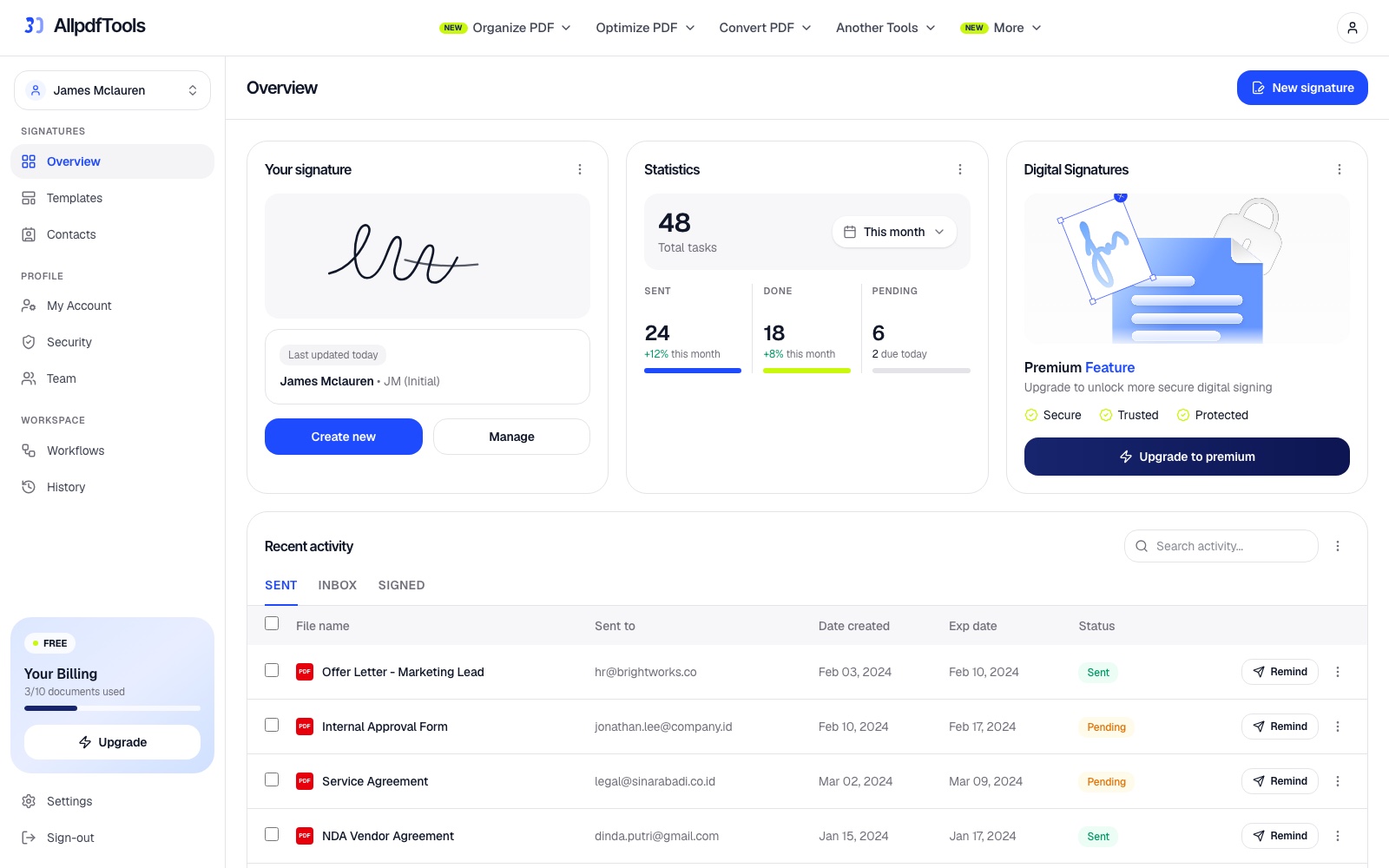
Signatures, templates, contacts and teams
$0
Every tool free, the workspace is the product
“Every PDF tool is free to use. The platform itself is what you pay for.”
From the pricing page
Overview
The contextAllpdfTools started as a single prompt: build a modern full-stack web app similar to iLovePDF. What came back was a skeleton. Turning it into something usable took the part AI does not do for you, deciding what all these tools have in common.
It now runs 31 tools across seven categories, from merging and splitting to OCR, redaction and AI summarisation, on a React front end with an Express API doing the file processing. Around them sits the part that makes it a product rather than a utility page: a signature workspace with templates, contacts, teams, workflows and a document history.
Challenge
The problemA tool with 31 features is really a navigation problem wearing a feature list:
Thirty-one tools is a menu, not a product
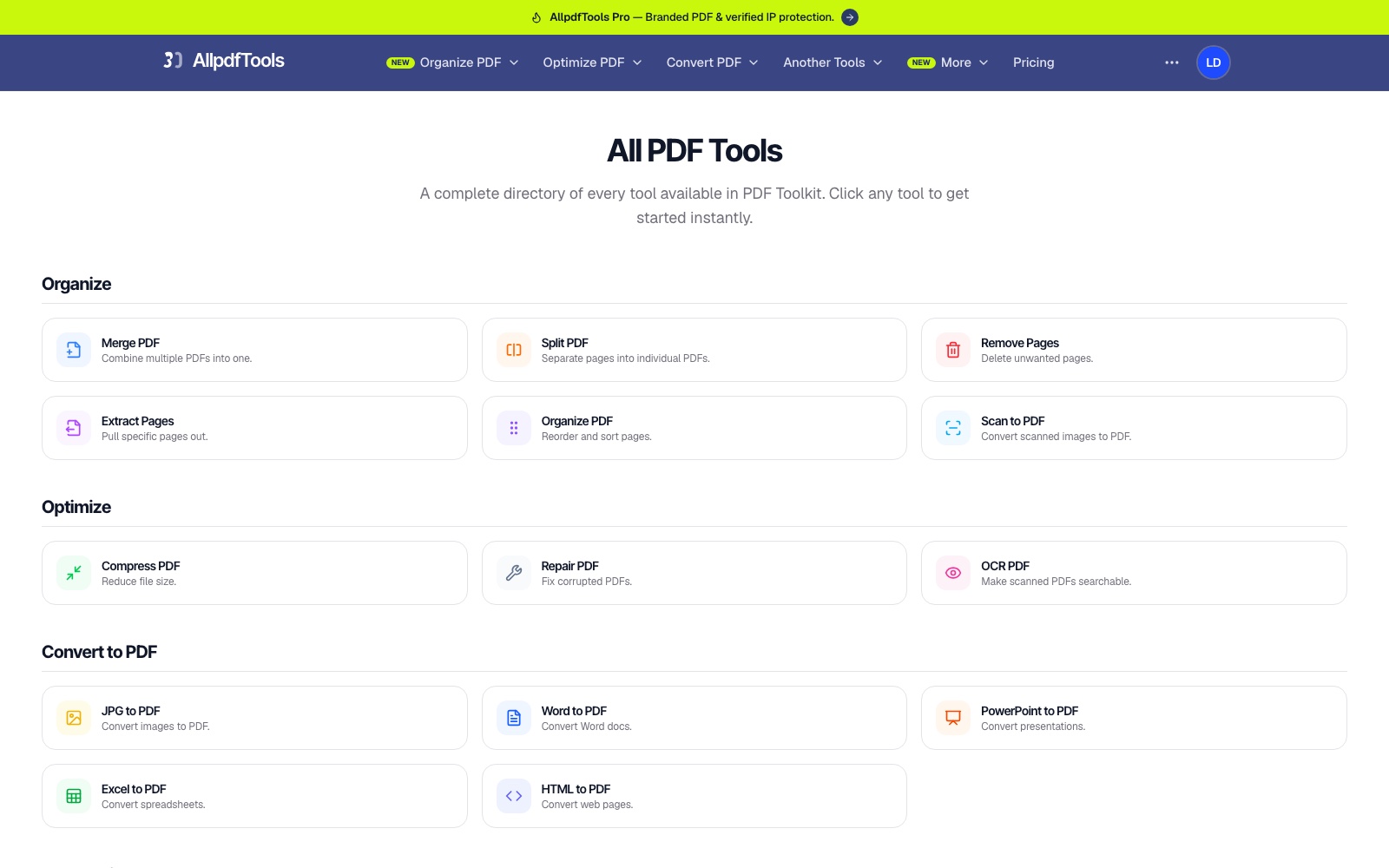
Presented as a flat list, the tools compete with each other. Someone who wants to shrink a file does not know whether they need Compress, Optimize or Repair.
Every tool wants its own interface
Merge needs multiple files and an order. Watermark needs opacity and rotation. Left alone, an agent gives each one a different layout, and the app stops feeling like one product.
People describe jobs, not tools
Users arrive with 'I need to turn this Word doc into a PDF', not with the name of the converter that does it.
File processing fails in public
Corrupt files, password-protected PDFs and oversized uploads are normal, and each one needs a response that is not a stack trace.
The core problem: make thirty-one different file operations feel like one calm tool instead of a directory of utilities.
Approach
The processGroup by intent, not by library
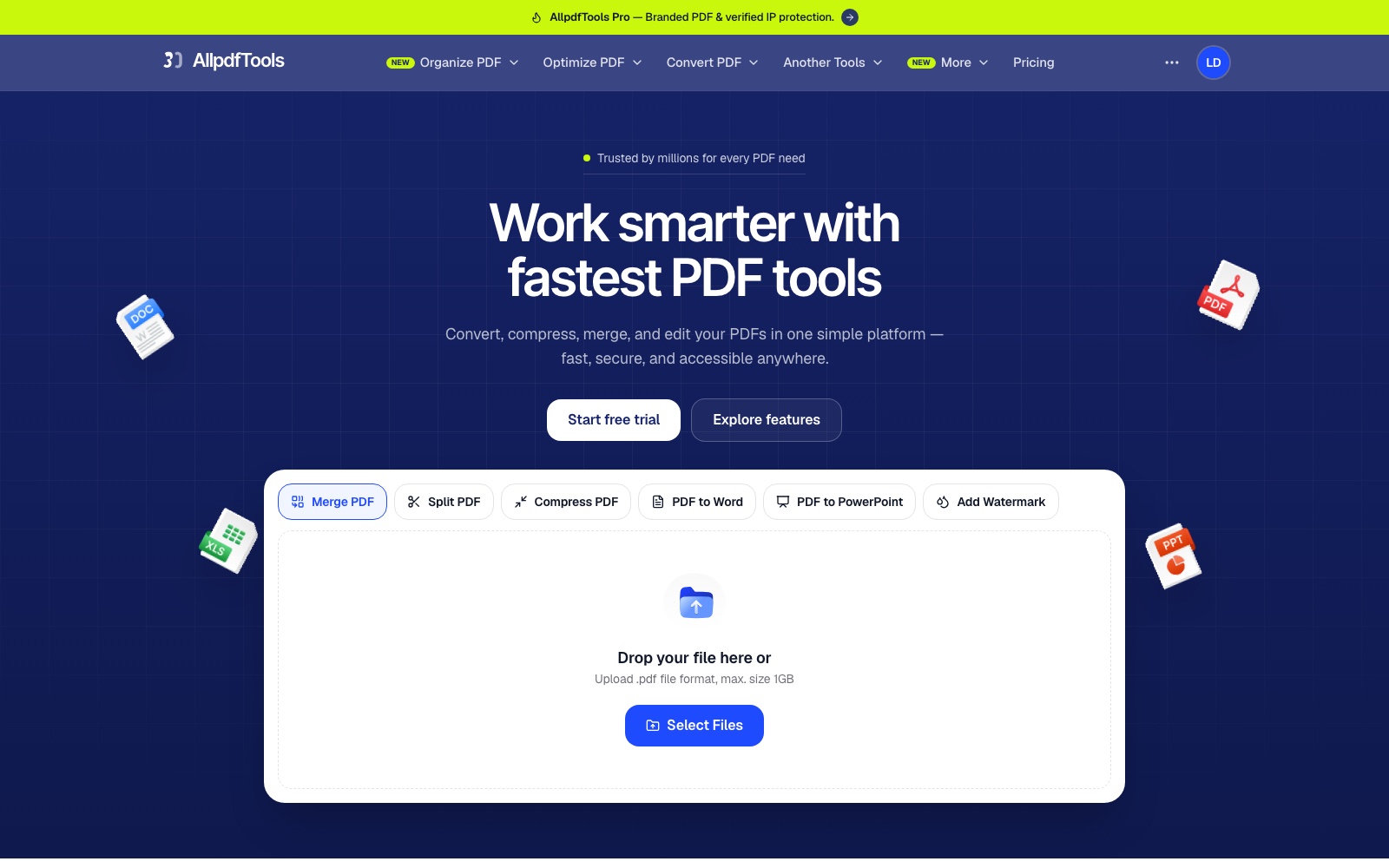
The tools are organised into six categories that match what people are trying to do: organise, optimise, convert to PDF, convert from PDF, edit and security, plus AI. The category chips on the home screen are the primary navigation.
Let people describe the job
The home screen leads with a plain-language box, 'I want to translate a PDF to Spanish', and routes to the right tool. It removes the need to learn the taxonomy before using the product.
One shape for every tool
Each tool page is the same: a title, a one-line description, and one drop zone. Only the options differ. The thirtieth tool is as familiar as the first.
Use the right library per job
pdf-lib handles manipulation, mammoth and xlsx read Office formats, docx and pptxgenjs write them, archiver zips multi-file output, and Mistral Large powers summarising, translating and OCR clean-up.
Build the workspace around the tools
Single-use tools bring people in once. Saved signatures, reusable templates, a contact list, team access and a history of what was sent give them a reason to come back, so the product stops being a page you land on from a search result.
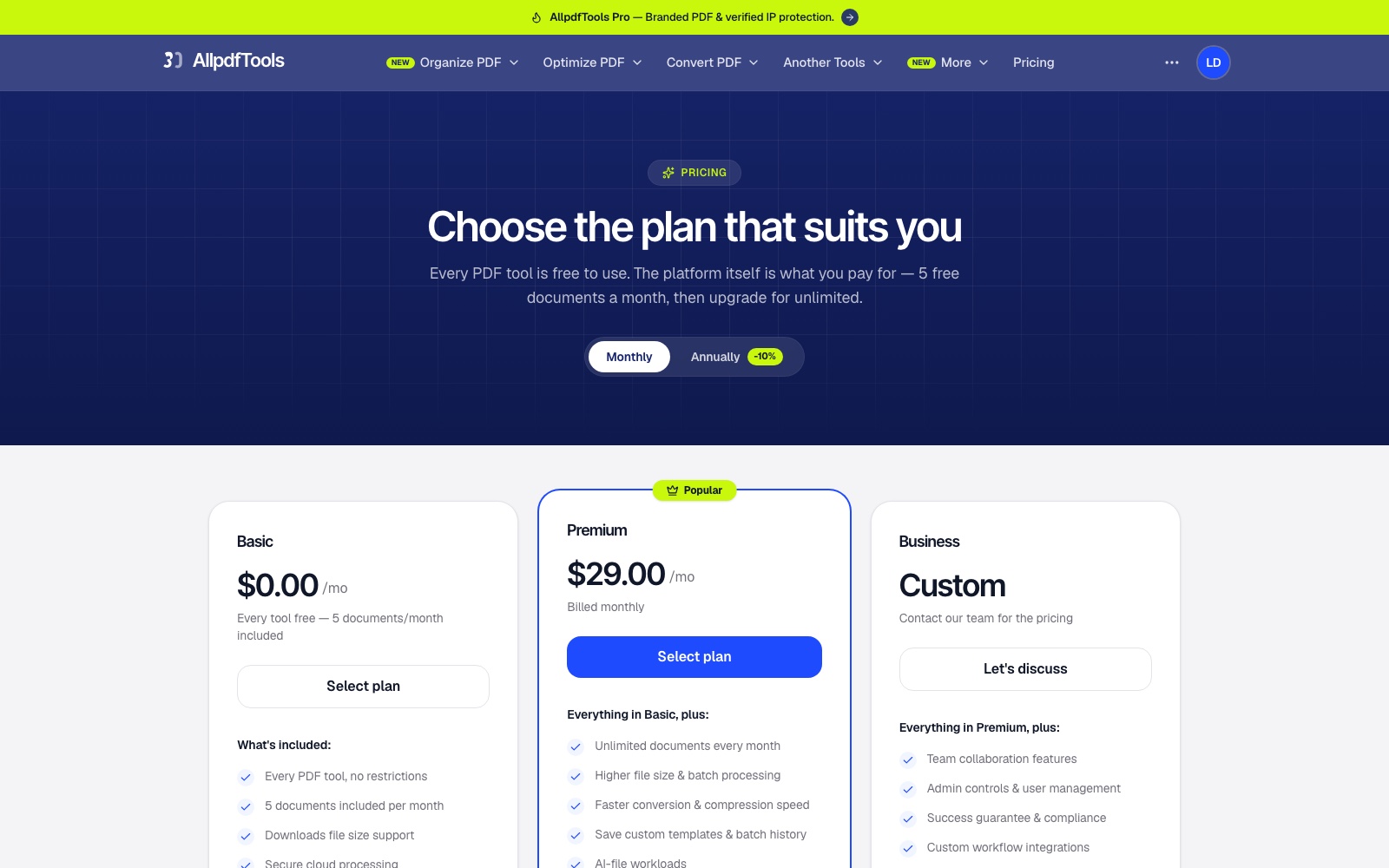
Charge for the platform, not the tools
Every tool stays free, with five documents a month included. The paid tiers sell unlimited documents, larger files, batch processing and team controls, so nothing basic is held hostage and the pricing matches what actually costs compute.
Outcome
The resultThe result is a working product rather than a demo of one tool:
31 tools that run
merge, split, compress, OCR, redact, sign, convert both ways, and more, each doing real work on the file you upload.
One learnable pattern
a shared upload-and-options flow means the tools teach each other rather than each needing to be learned.
AI where it helps
summarising, translating into 12+ languages and cleaning up OCR output, rather than an assistant bolted onto the home page.
A workspace that earns repeat visits
signatures, templates, contacts, teams, workflows and a sent-and-signed history turn one-off tool use into an account worth keeping.
A pricing model that fits the product
every tool free with five documents a month, then $29 for unlimited, and a custom tier for teams.
The prompt built the scaffolding in an afternoon. The weeks after it were spent on the thing an agent cannot decide for you: what all thirty-one of these tools should have in common.
Key learnings
What I took awayA long prompt gets scaffolding, not a product, the first build returned 31 screens that looked done and shared almost nothing.
Taxonomy is the interface, grouping tools by what people are trying to do mattered more than any single tool's layout.
Let people describe the job, a plain-language box routed users to the right tool without making them learn the category names first.
One shape, thirty-one tools, keeping every tool page identical except its options is what made the app feel like a product rather than a directory.
Tools bring people in, the workspace keeps them, adding signatures, templates and a history turned a page people bookmarked into an account they returned to.
More projects
Lulu Bank: AI Banking App
HDDP: Health Data Playground
Contact me
Let's work together
Have a project in mind, or just want to say hi? I'm always open to new conversations.